Learn how to quickly remove the CWRU Cybersecurity Awareness lock screen file from your computers.
1. Log into Group Policy Management
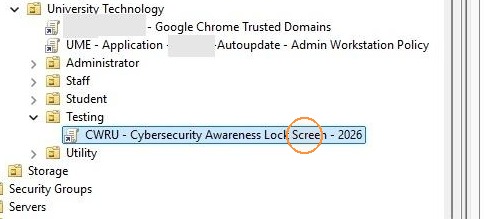
2. Navigate to the OU you wish to uninstall / remove the 2026 Cybersecurity Awareness Lock Screen
3. Locate the linked GPO, and Right click "CWRU - Cybersecurity Awareness Lock Screen - 2026"
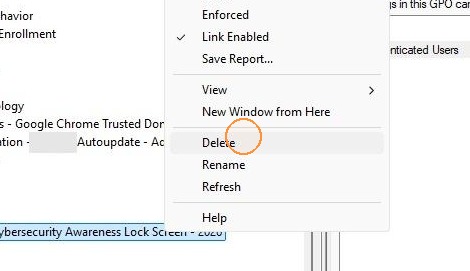
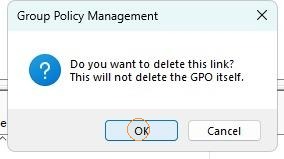
5. Click OK to confirm deleting the link.
6. The next time Group Policy refreshes on the endpoint (the next time the computer is rebooted), the lockscreen will uninstall from the endpoints and the machines should return to the previous lockscreen state.